.svg)
Markdown Buddy is a native macOS Markdown editor built with Swift and AppKit. Its distinguishing feature is that it extends Markdown rendering to two places outside the application itself: a Quick Look extension renders .md files in the Finder instead of showing raw text, and an Xcode source editor extension opens the file you are editing as rendered output from the Editor menu. Both extensions share the application’s renderer and become available after the app has been launched once.
The application offers four view modes, including an editable preview. Opening a folder as a workspace lists every Markdown file in a tree, with search across all of them and a graph view of the links between documents that flags broken ones. Mermaid diagrams and KaTeX math are supported, and syntax highlighting in fenced code blocks is provided by an embedded copy of highlight.js.
Markdown support is narrower than a full CommonMark implementation, as the renderer is a hand-written parser. Footnotes, definition lists, emoji shortcodes and automatic URL linking are not supported. Inline HTML is escaped rather than rendered, which is a consequence of the app being sandboxed for the Mac App Store.
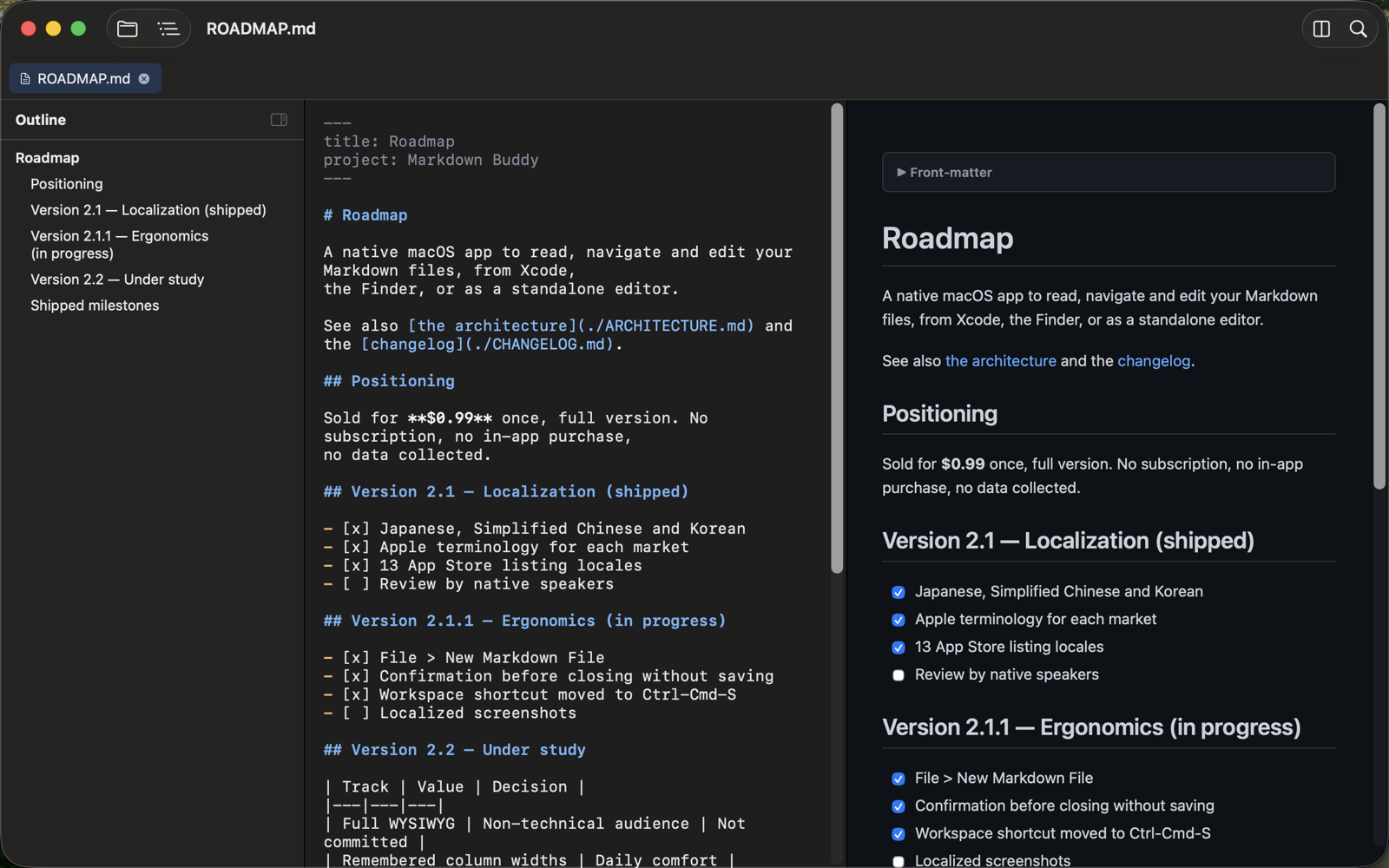
Markdown Buddy provides support for the following Markdown elements.
| Element | Support | Notes |
|---|---|---|
| Headings | Yes | |
| Paragraphs | Yes | |
| Line Breaks | Yes | |
| Bold | Yes | |
| Italic | Yes | |
| Blockquotes | Yes | |
| Ordered Lists | Yes | |
| Unordered Lists | Yes | |
| Code | Yes | |
| Horizontal Rules | Yes | |
| Links | Yes | |
| Images | Yes | |
| Tables | Yes | |
| Fenced Code Blocks | Yes | |
| Syntax Highlighting | Yes | |
| Footnotes | No | |
| Heading IDs | Yes | |
| Definition Lists | No | |
| Strikethrough | Yes | |
| Task Lists | Yes | |
| Emoji (copy and paste) | Yes | |
| Emoji (shortcodes) | No | |
| Highlight | No | |
| Subscript | No | |
| Superscript | No | |
| Automatic URL Linking | No | |
| Disabling Automatic URL Linking | No | |
| HTML | No | Inline HTML is escaped and displayed as text rather than rendered. |
Learn Markdown in 60 pages. Designed for both novices and experts, The Markdown Guide book is a comprehensive reference that has everything you need to get started and master Markdown syntax.
Get the Book